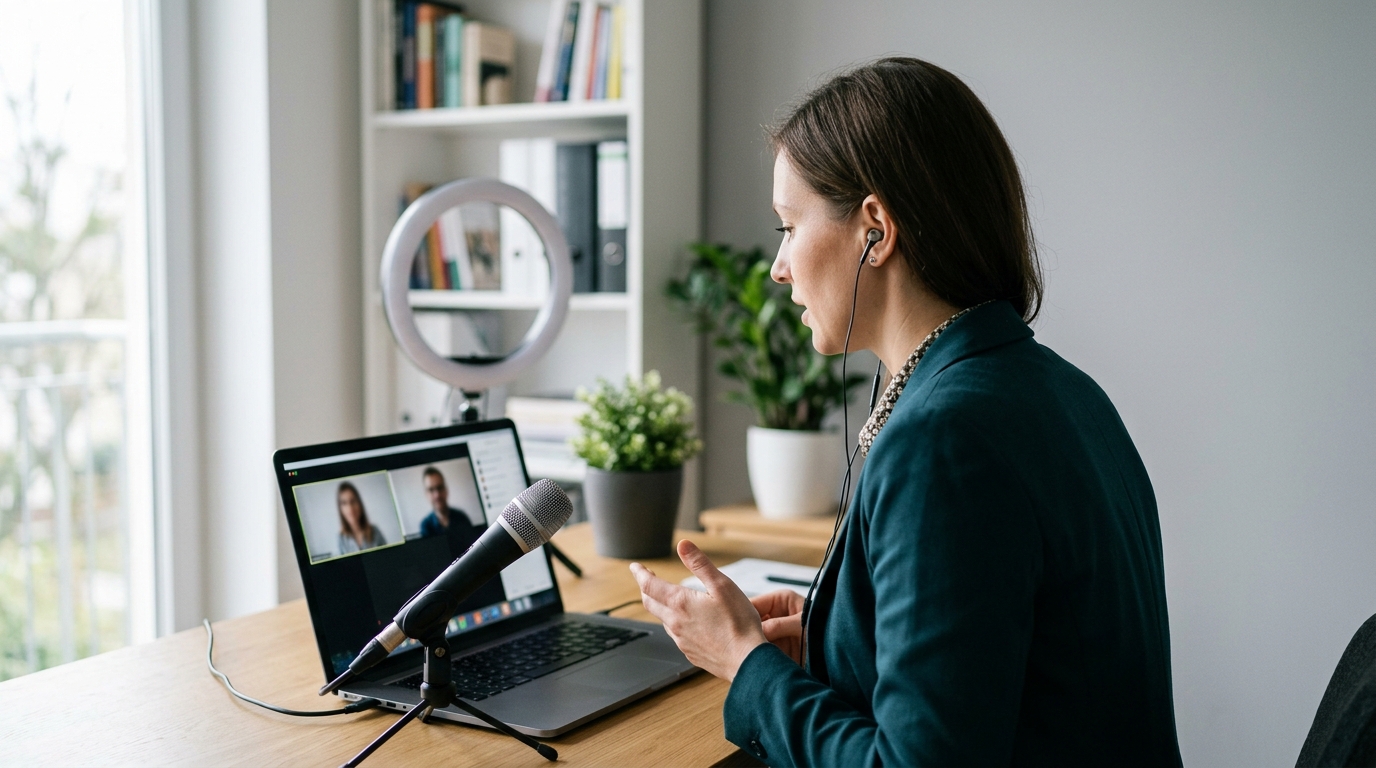
By the end of this guide you will be able to set up a camera, light and sound checked in advance, hold a video interview without the small distractions that make people look uncertain, and follow up in a way that keeps you in the conversation. The 15 tips below are split into what to do before you join, what to do while the call is running, and what to send afterwards.
Most of it is mechanical. Nothing here requires new equipment beyond a laptop, a window or a lamp, and a pair of wired earbuds. Details vary by platform and by employer — some send a link days ahead, some use a one-way recorded format — so treat the specifics as defaults to adjust.
Before the interview: steps
Work backwards from the interview time. Each tip below has a setting or a measurement so you can tell when it is done.
Three to seven days ahead
Do a real test call, not a mirror check. Install the platform named in the invitation, sign in, and run a call of at least ten minutes with someone who will tell you the truth. Ten minutes is long enough for a laptop fan to spin up, a battery to drop, or a background app to start syncing. Check whether the link needs an account, a passcode or a browser plug-in, and whether screen sharing is enabled for guests.
Set the camera to eye level, with your face about an arm's length away. Raise the laptop on books until the lens sits level with your eyes or very slightly above. Sit so your head and shoulders fill the frame, with roughly a hand's width of space above your head and the bottom of the frame at mid-chest. A lens below your chin points up your nose; a lens too far away makes your voice sound distant even on a good mic.
The day before
Put your main light in front of you at about a 45-degree angle. A window off to one side or a desk lamp bounced off a pale wall both work. Nothing bright directly behind you — a window at your back turns you into a silhouette. Take one still photo with the camera and look at it: if you can see the colour of your own eyes, the light is fine.
Clear a metre or two of plain background. A blank wall, a closed door, or a tidy shelf. Remove anything with text, anything that moves, and anything you would not want asked about. If you use a virtual background, test it in the same lighting first — if it eats the edges of your hair or flickers when you gesture, drop it.
Use wired earbuds or a headset, and listen back to yourself. Record a 30-second clip on the same device, saying a real answer, then play it back. Listen for echo, keyboard noise, traffic, and whether you trail off at the end of sentences. Built-in laptop mics pick up the room; a mic near your mouth picks up you.
The morning of, and the final 30 minutes
Run a fixed pre-flight routine. Charge to full and stay plugged in. Quit every application you are not using, including browser tabs that auto-play. Turn on Do Not Disturb on the computer, and put your phone face down on silent but reachable, with the recruiter's number saved. Set your display name to your full name rather than a device nickname or a family account. Put a glass of water just out of frame, a single printed page of notes taped near the top of the screen, and a note of the interviewer's names. Tell anyone else in the building the time and how long you need. Join the link five minutes early — early enough to handle an update prompt, not so early that you are sitting in a waiting room for twenty minutes.
During the interview: list
Look at the lens when you speak, at the screen when you listen. Say your first sentence and your closing sentence of each answer to the camera. In between, it is fine to glance at faces. Move your notes and the participant window to the top of the screen so your eyes stay near the lens rather than dropping to the corner.
Sit still from the waist down and gesture inside the frame. Feet flat, both forearms resting on the desk or your lap, chair not a swivel one if you can help it. Keep hand movements inside the width of your shoulders — wide gestures leave the frame and read as flapping. Small, deliberate movements survive video compression; constant small rocking does not.
Pause for one beat after each question before you answer. Count one second. It covers audio lag, stops you talking over the end of the question, and gives you a moment to pick a structure. If two people start at once, stop and say "go ahead" rather than both pushing through.
Signpost the shape of your answer out loud. "There were three parts to that project — I'll take them in order." "Short answer yes; here's the context." On video, the interviewer loses the non-verbal cues that normally tell them you are nearing the end, so say it. Land the result in a single sentence at the close, then stop talking.
Show you are listening without making noise. Nod, keep your eyes on the screen, and hold back the verbal "mm-hm" — on an open mic it arrives as an interruption. If you want to take notes, say so once at the start: "I'll be typing a few notes while you talk." Then type in gaps, not while they are mid-sentence. If your connection stutters, name it immediately — "I lost the last few words, could you repeat from the budget part?" — rather than guessing at the question.
After the interview: list
Write your notes within ten minutes of hanging up. Before you check your phone. Capture: who was on the call and their roles, every question you were asked in their words, the answers you fumbled, anything they said about the team or the timeline, and any question you promised to come back on. This is the raw material for the next round and for the thank-you note.
Send a thank-you email within 24 hours. One message, under about 150 words, to the person who set up the call or to each interviewer if you have their addresses. Name one specific thing from the conversation, connect it to something you have done, and close simply.
Follow-up email after a video interview
Subject: Thank you — [role] interview, Tuesday
Hello [name],
Thank you for the time this morning. The part I keep thinking about is the migration you're planning for the second half of the year — the handover documentation problem you described is close to what I dealt with when our team absorbed two legacy systems, and I'd enjoy working on it.
I've attached the reporting sample I mentioned. Happy to walk through it if that's useful.
Thanks again, and I look forward to hearing how the process goes.
[Name] · [phone]
Send anything you promised the same day. A writing sample, a portfolio link, a reference list, a certificate number. Send it as a PDF where you can, with a filename that makes sense on someone else's desktop — your name, the document type, the date. Do not make them chase you for it.
Agree the next step, then follow up once. If nobody told you when to expect news, ask in the thank-you email. If the date they gave passes, send one short message a few working days later asking where things stand and confirming you are still interested. One nudge, not a series. If the call was badly disrupted by technology, mention it once, briefly, and offer to cover anything that got lost — then let it go.
What to avoid
Mistake
Why it backfires
Fix
Joining from a phone propped against a mug, or from a car
The frame wobbles, the mic picks up road noise, and every glance away looks like distraction. It also signals the interview came second to whatever else you were doing.
Book a room and a device the day before; if the only option is a phone, use a stand and stay indoors.
Reading answers off a script beside the camera
Your eyes track left to right, your voice flattens, and you stop answering the question actually asked. Interviewers notice reading long before they notice notes.
Cut notes to a single page of trigger words, no full sentences.
Talking over the interviewer because of lag
Half-duplex audio means one of you gets cut out entirely, so your best point arrives as a fragment. Repeated clashes make the call feel like hard work.
Pause one second after every question, and yield immediately if you both start.
Leaving notifications, tabs or a shared screen live
A message preview, a calendar alert for another company's interview, or an open job board on a shared screen changes what the interview is about.
Quit everything, enable Do Not Disturb, and check what is visible before you share a screen.
Treating a recorded one-way interview as low stakes
Nobody is reacting, so people speak in a monotone, ramble past the time limit, or re-record until the energy is gone. It is often the only sample a hiring team sees.
Stand up, time one practice run, and submit the second take.
Checklist
Three to seven days before
[ ] Platform installed, signed in, updated; passcode and link saved
[ ] Ten-minute test call completed with a real person
[ ] Camera at eye level; head and shoulders fill the frame, a hand's width above the head
[ ] Screen sharing tested if the role may require a demo
The day before
[ ] Main light in front, about 45 degrees; nothing bright behind you
[ ] Background plain and tidy; virtual background tested or abandoned
[ ] Wired earbuds or headset; 30-second recording listened back to
[ ] One page of trigger-word notes printed and taped near the top of the screen
[ ] Interviewers' names, the recruiter's phone number, and the job ad saved
[ ] Clothes chosen and checked on camera for pattern flicker
Final 30 minutes
[ ] Device at full charge and plugged in
[ ] All other apps and tabs closed; Do Not Disturb on
[ ] Phone silent, face down, reachable
[ ] Display name set to your full name
[ ] Water just out of frame; household warned
[ ] Joined five minutes early
During
[ ] Lens for speaking, screen for listening
[ ] Still from the waist down; gestures inside shoulder width
[ ] One-second pause after each question
[ ] Answers signposted and closed with the result
[ ] Interruptions flagged straight away, not guessed at
[ ] Next step and timeline confirmed before the call ends
After
[ ] Notes written within ten minutes
[ ] Thank-you email sent within 24 hours, under about 150 words, one specific reference
[ ] Promised documents sent the same day, sensibly named
[ ] One follow-up scheduled for a few days after the date they gave you
Frequently asked questions
What do I do if my internet drops in the middle of the interview?
Rejoin the link immediately — most platforms let you back in within seconds. If it fails twice, call or message the recruiter's number and offer to continue by phone. Say one sentence about it when you are back ("sorry, I dropped out after the question about the audit") and carry on. Interviewers deal with this constantly; what they judge is how calmly you recover, so having the phone number saved beforehand matters more than the connection itself.
Is it acceptable to use notes on a video interview?
Yes, if they are notes rather than a script. Keep them to one page of trigger words — project names, numbers you might forget, the two or three questions you want to ask — and place them near the top of the screen so your eyes stay close to the lens. Reading full sentences is obvious on camera and makes your voice go flat. It is also fine to say out loud that you are checking a note before you answer.
Do headphones look unprofessional on camera?
Not for an interview. Discreet wired earbuds or a headset remove echo, stop the interviewer's voice bleeding back into your mic, and make you easier to understand. Clear audio does more for the impression you make than a tidy silhouette. Avoid large gaming headsets with boom mics and lights if you have an alternative, and test whichever pair you choose in the same setup you will use on the day.
What should I wear, and does it differ from an in-person interview?
Aim for the same level of formality you would choose in person for that employer, which varies a lot by industry and region — look at how staff present themselves in the company's own photos and videos. Two camera-specific points: fine stripes and tight checks can shimmer on video, and solid mid-tones read better than pure white or pure black under a single light source. Dress fully, not just from the waist up, in case you need to stand.